
Every subject in the shot. Found, named, and held.
A subject-tracking engine for DaVinci Resolve, Premiere Pro, After Effects and Final Cut Pro. No analysis pass. No keyframes. It runs on your machine, on your footage, while you play.
 DaVinci Resolve
 Premiere Pro
 After Effects
 Final Cut Pro
 Motion
Runs entirely on your machine. No cloud, no uploads, no subscription inference.
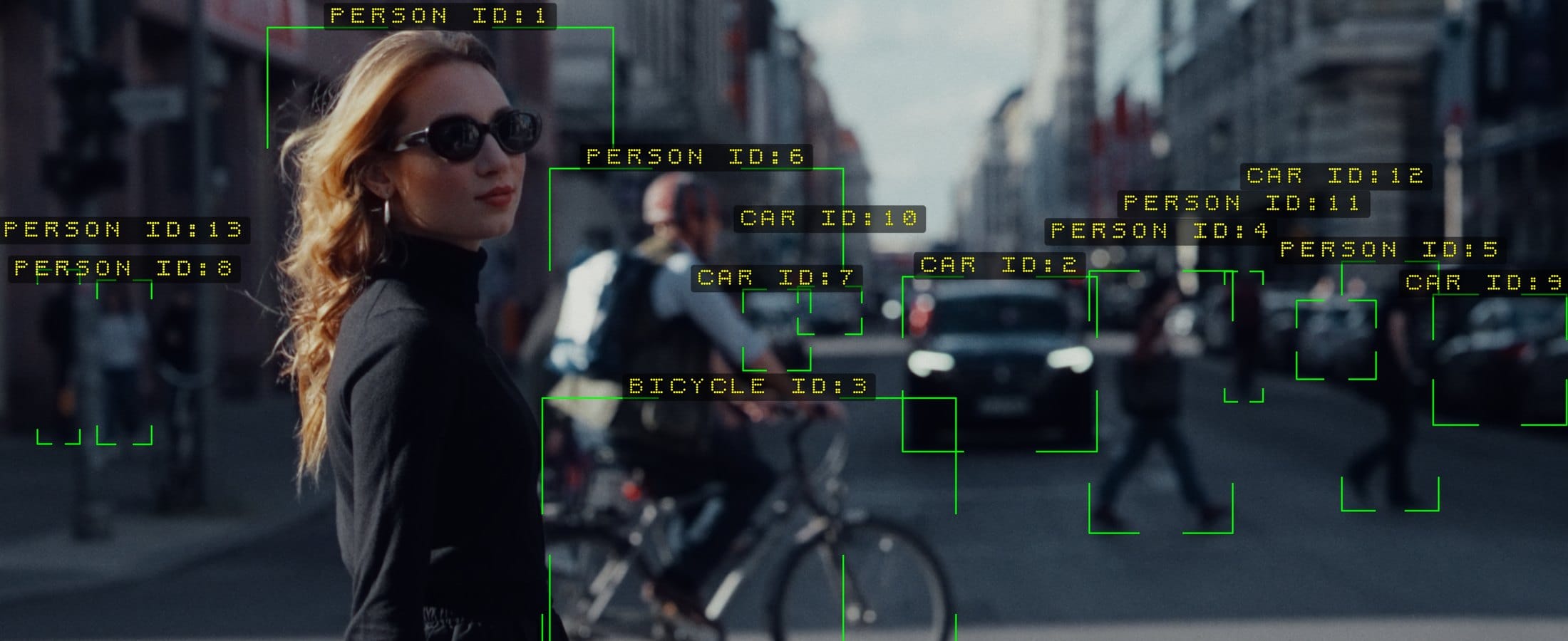
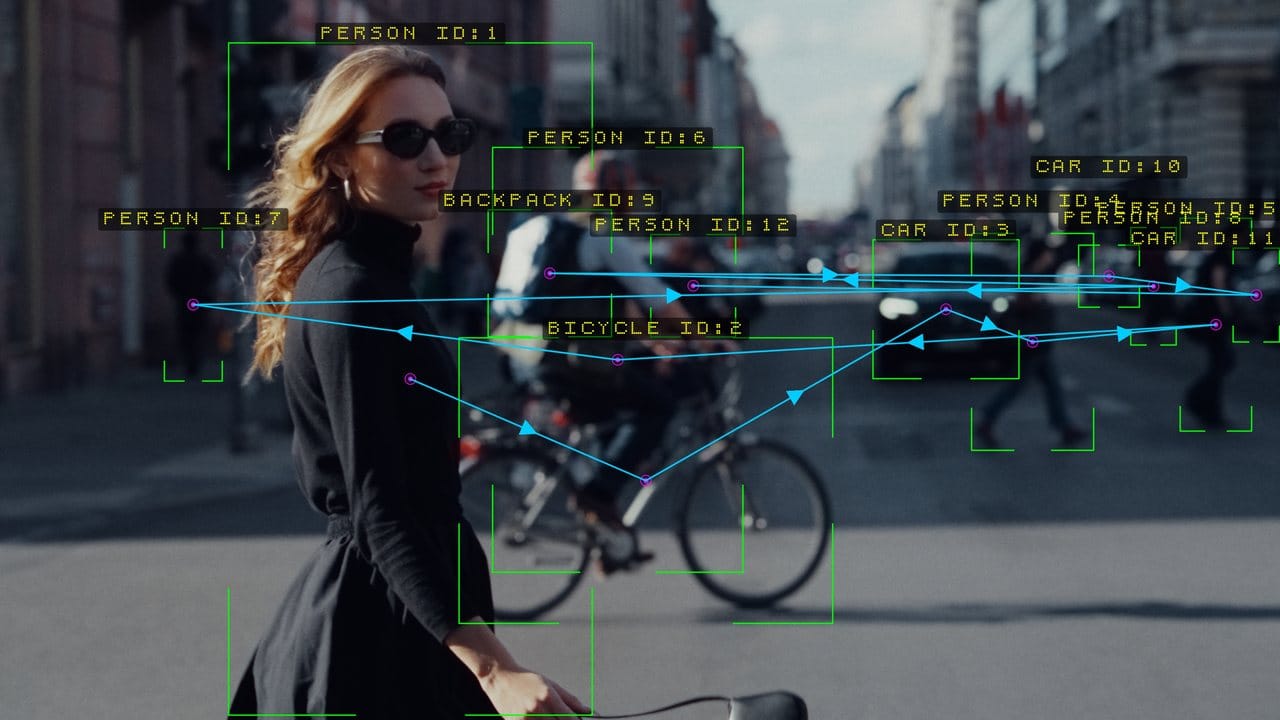
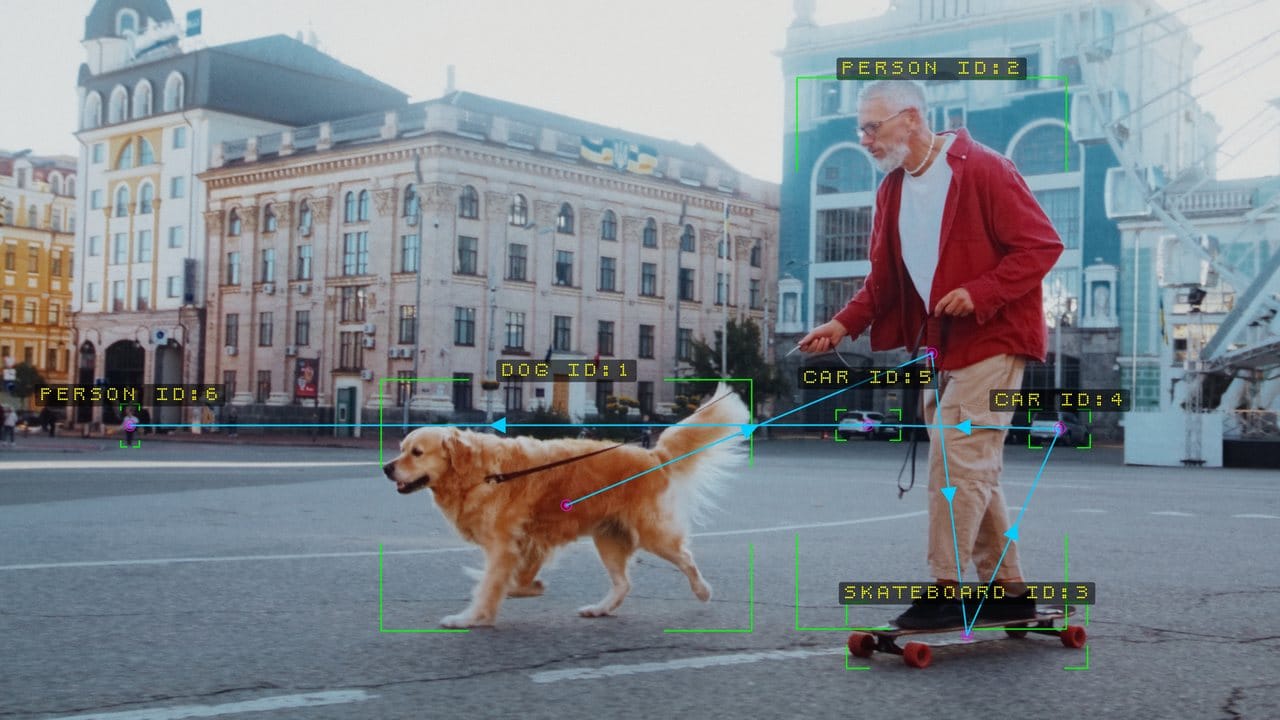
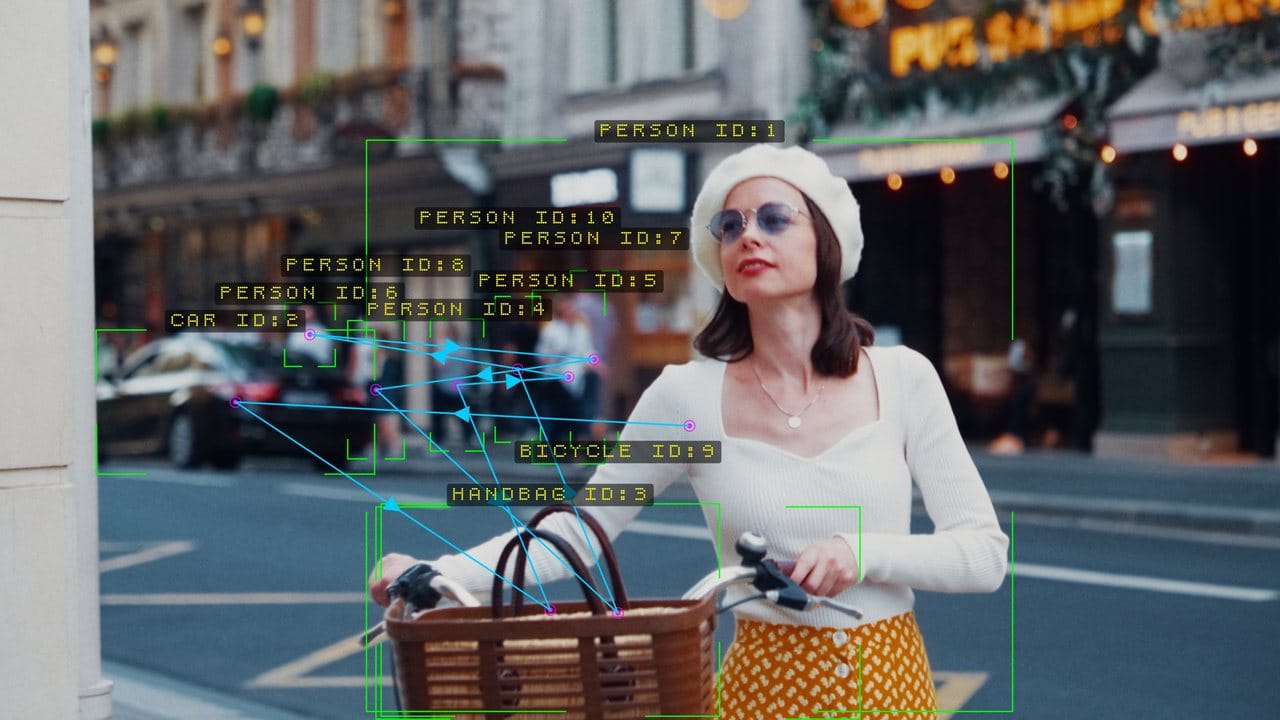
Thirteen frames. One plug-in, nothing painted in.
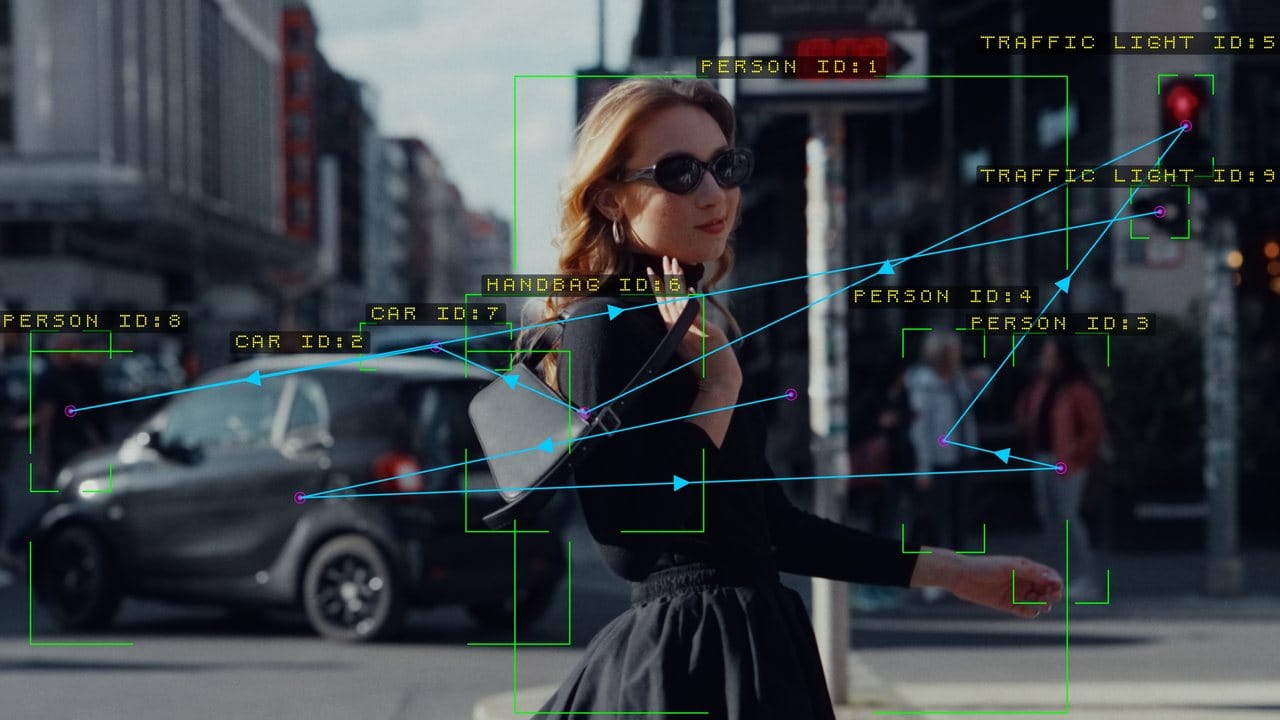
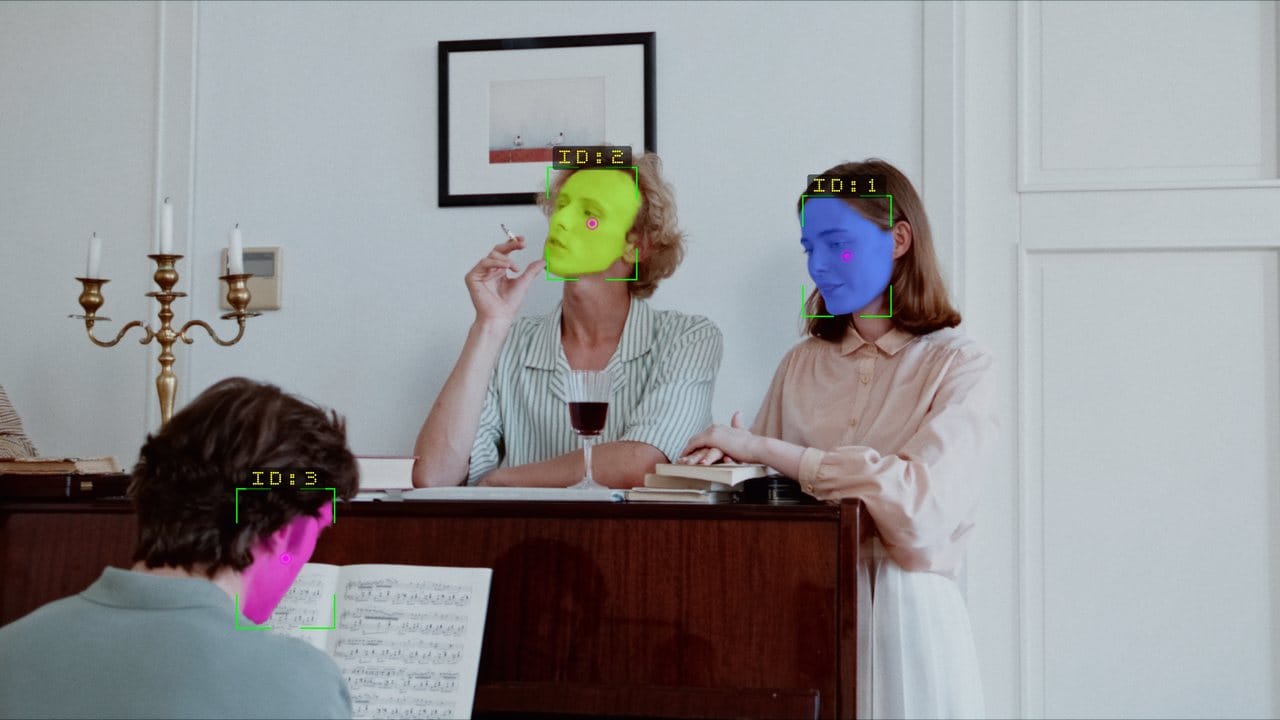
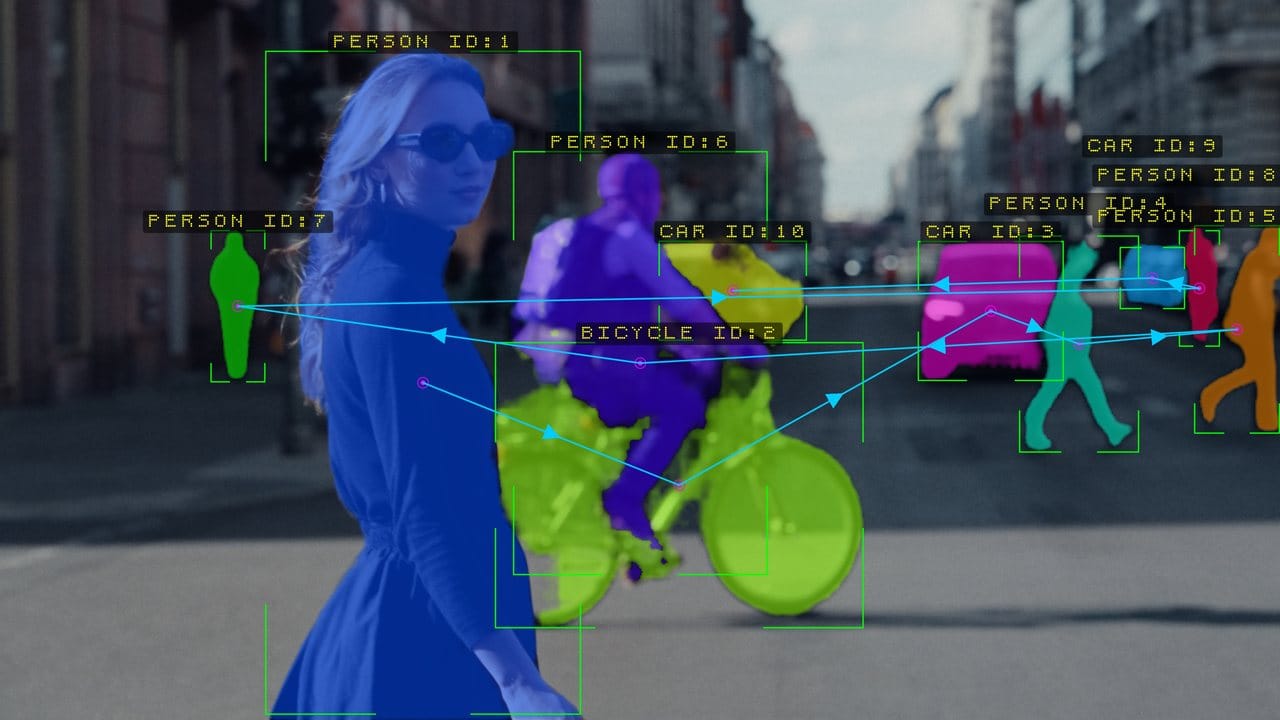
Every frame below came straight out of a timeline with Nx Nexus on the clip. Scroll through, or drag.
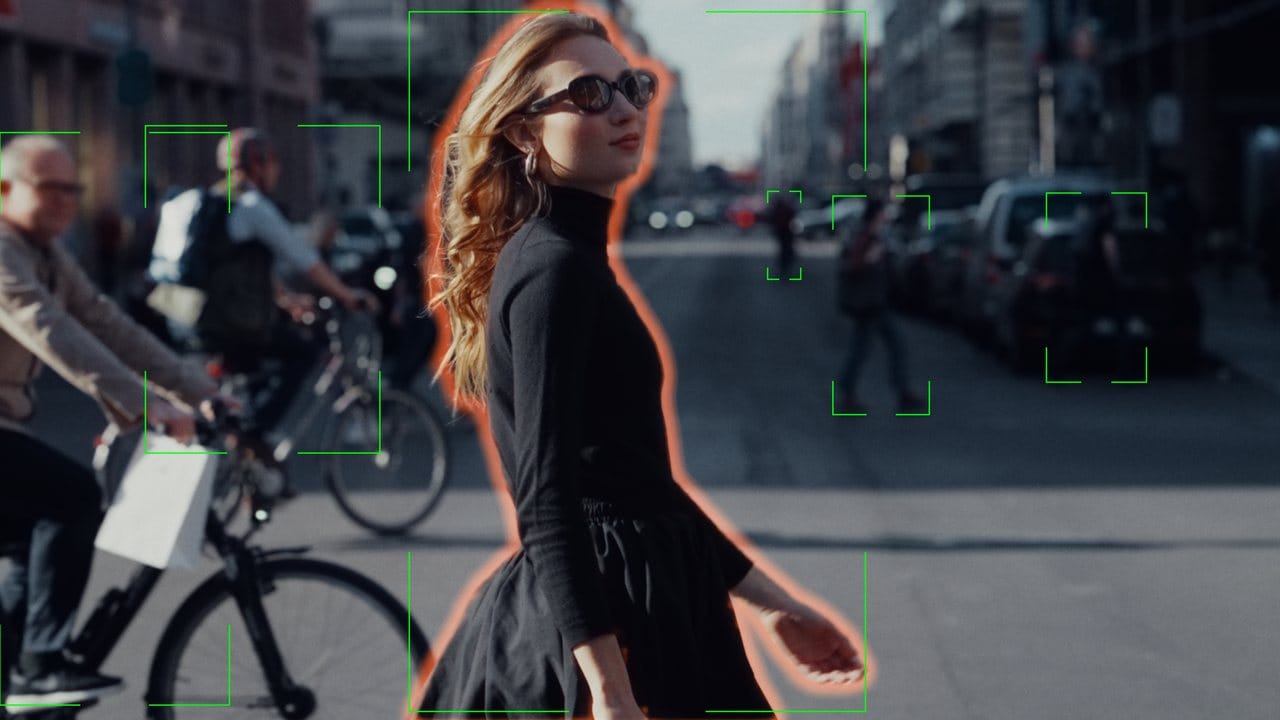
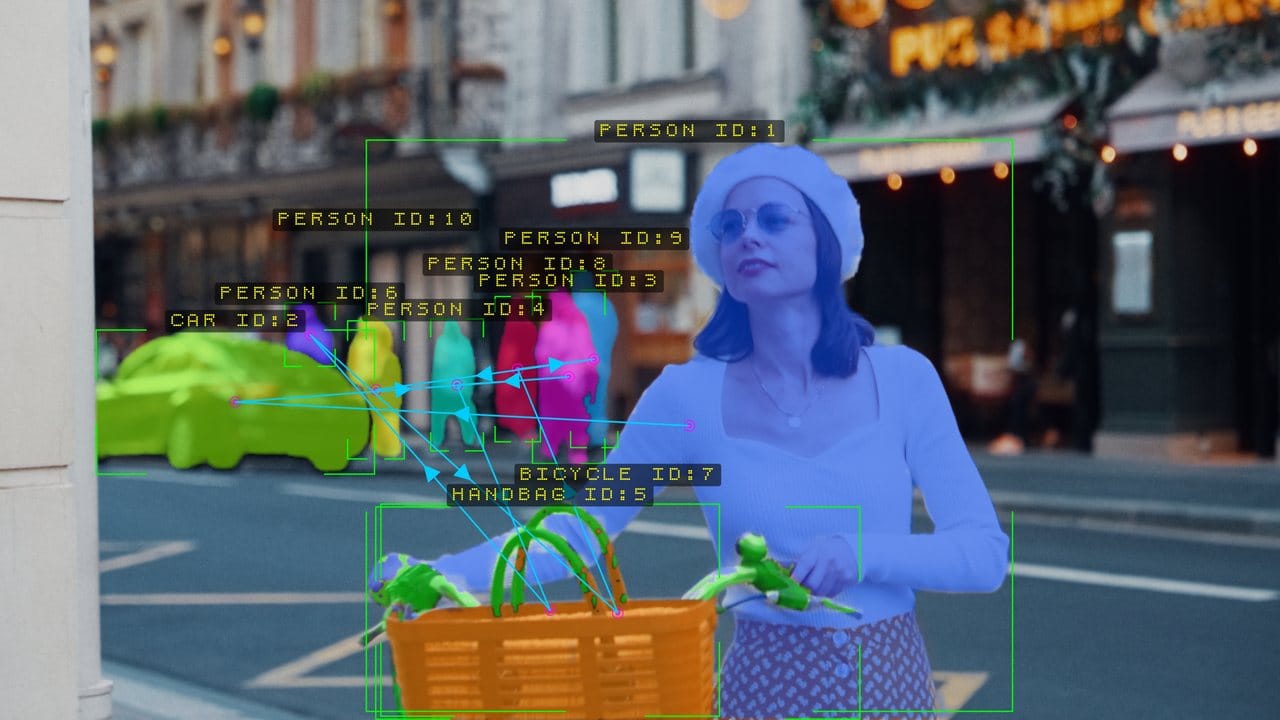
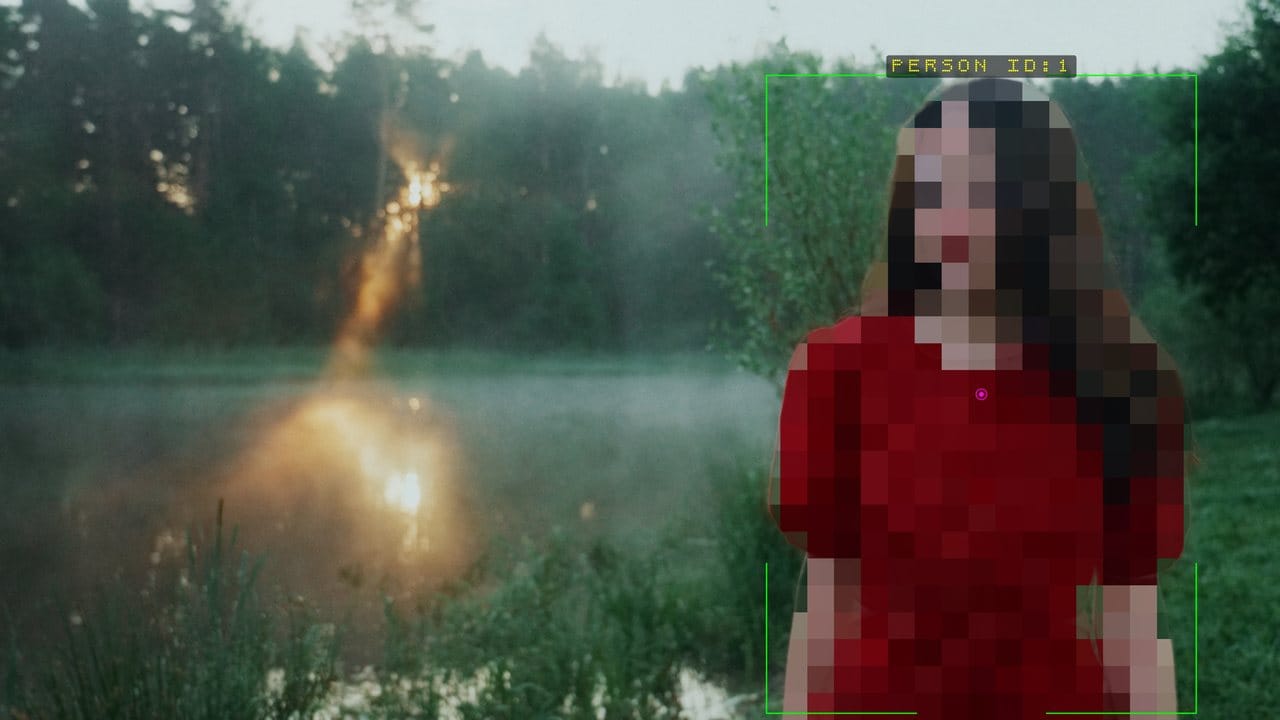
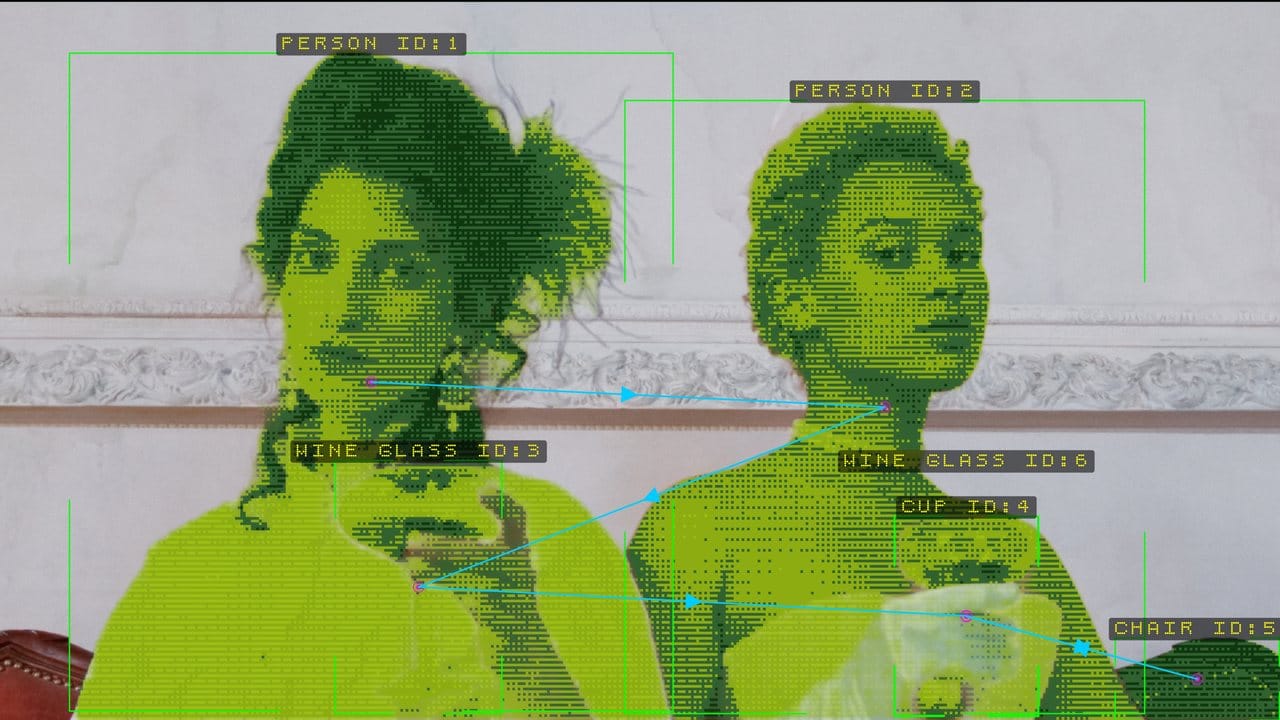
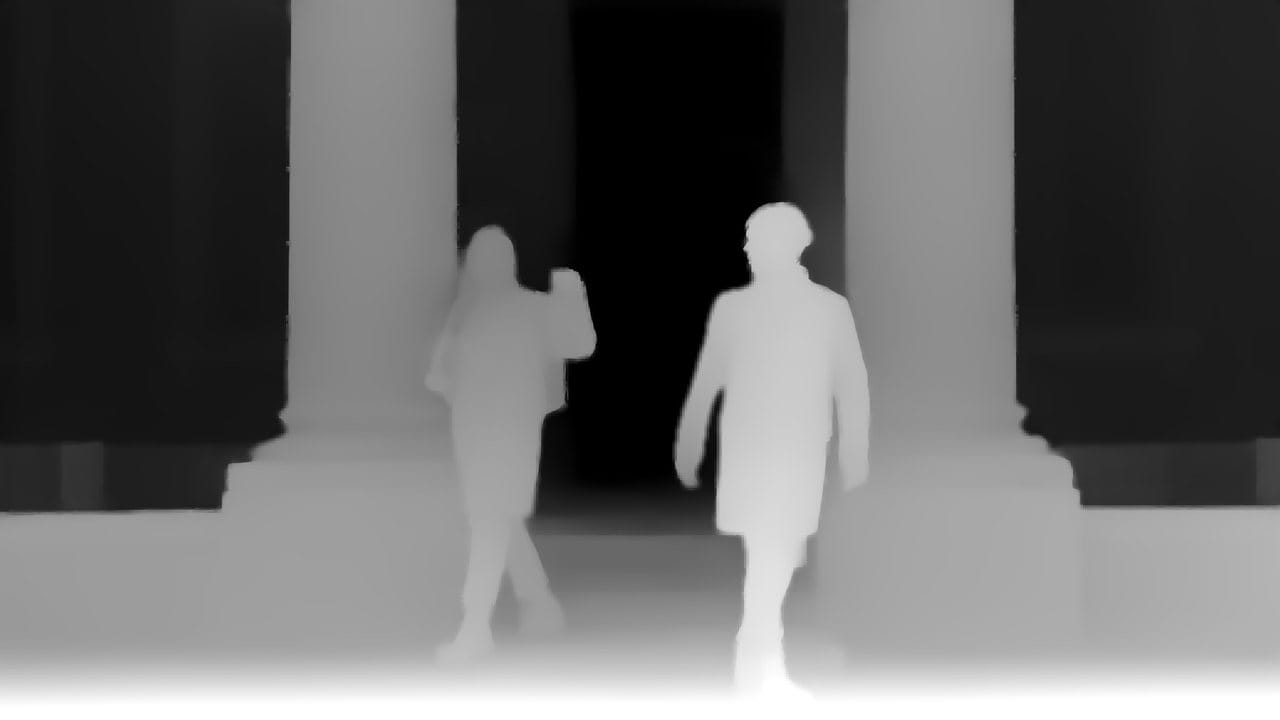
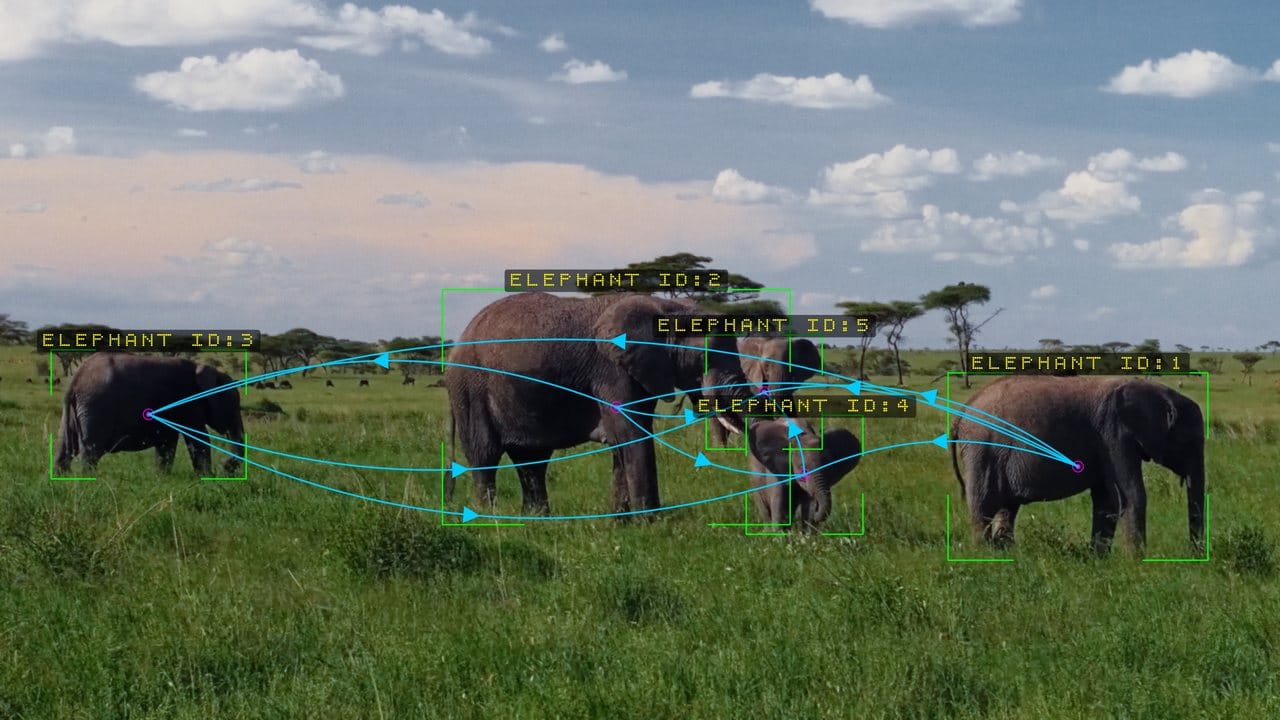
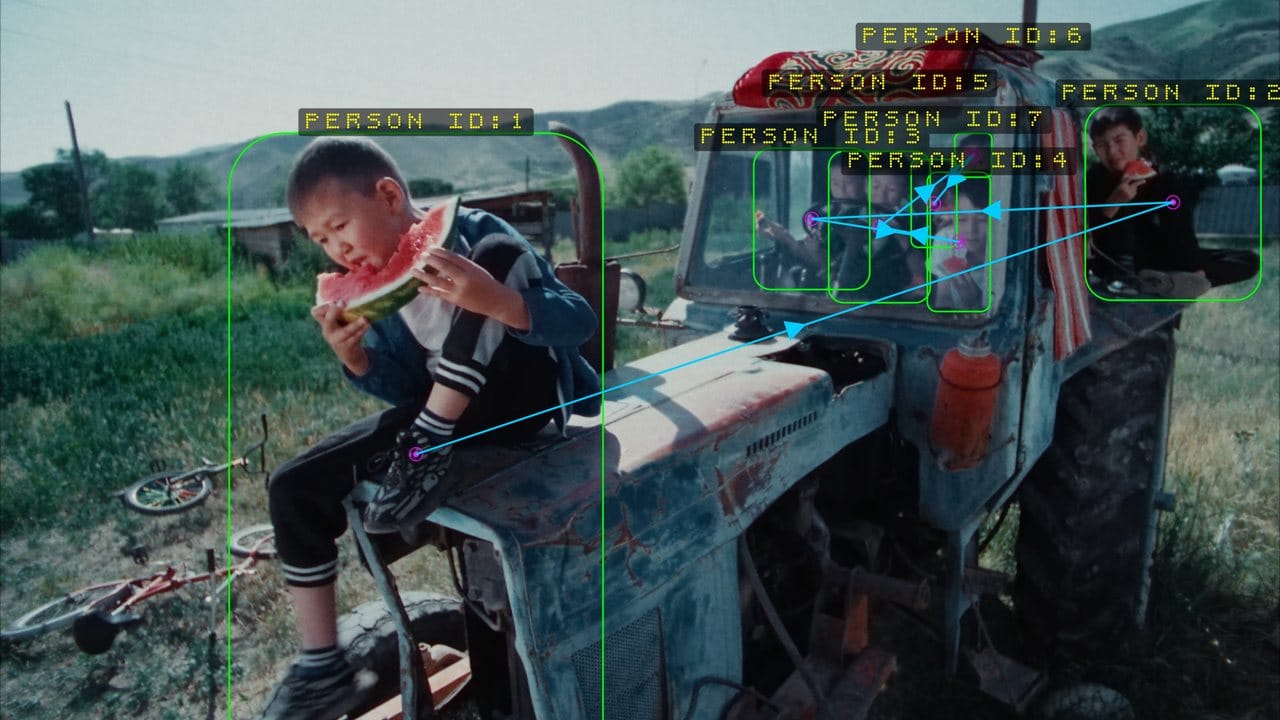
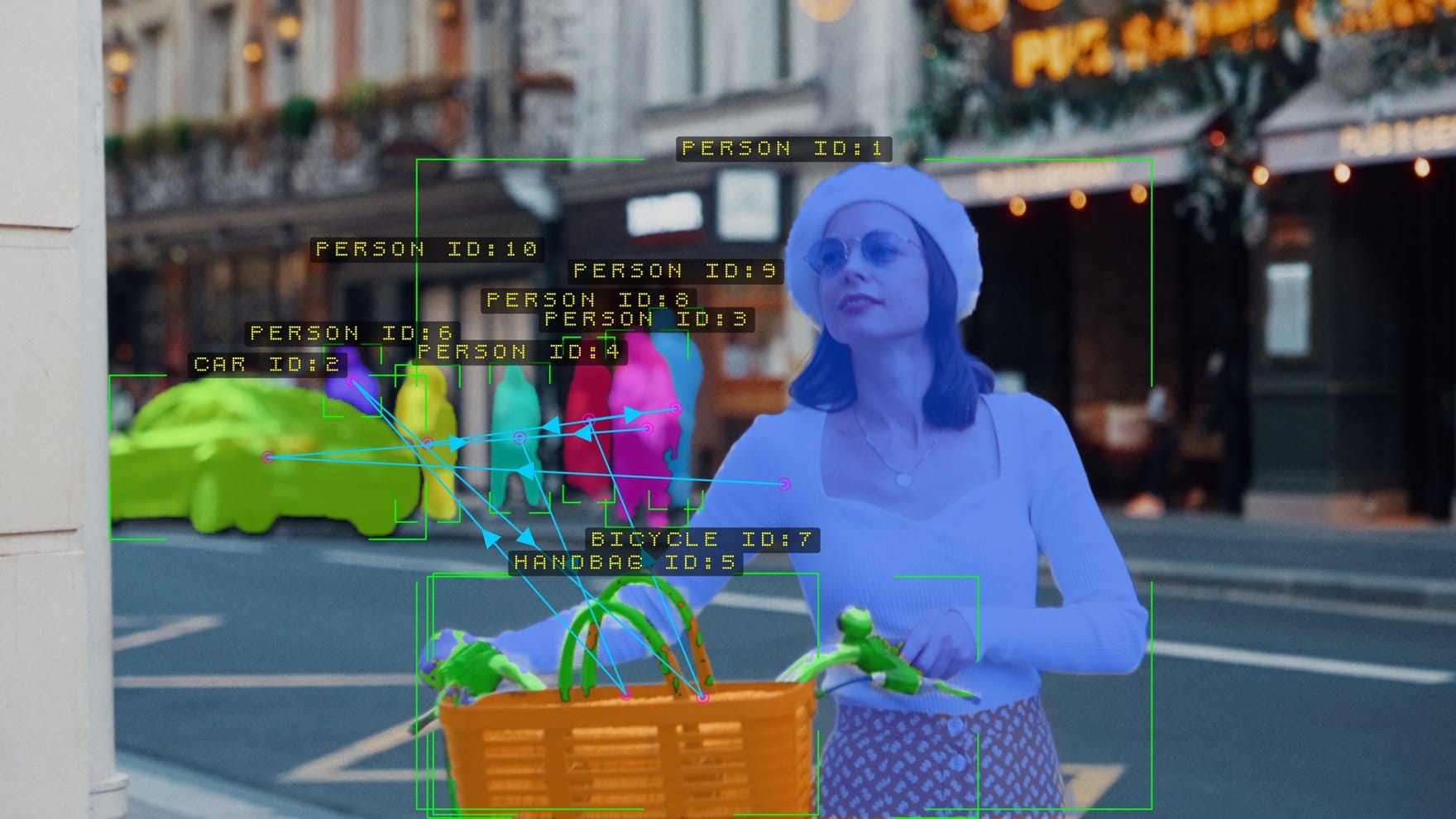
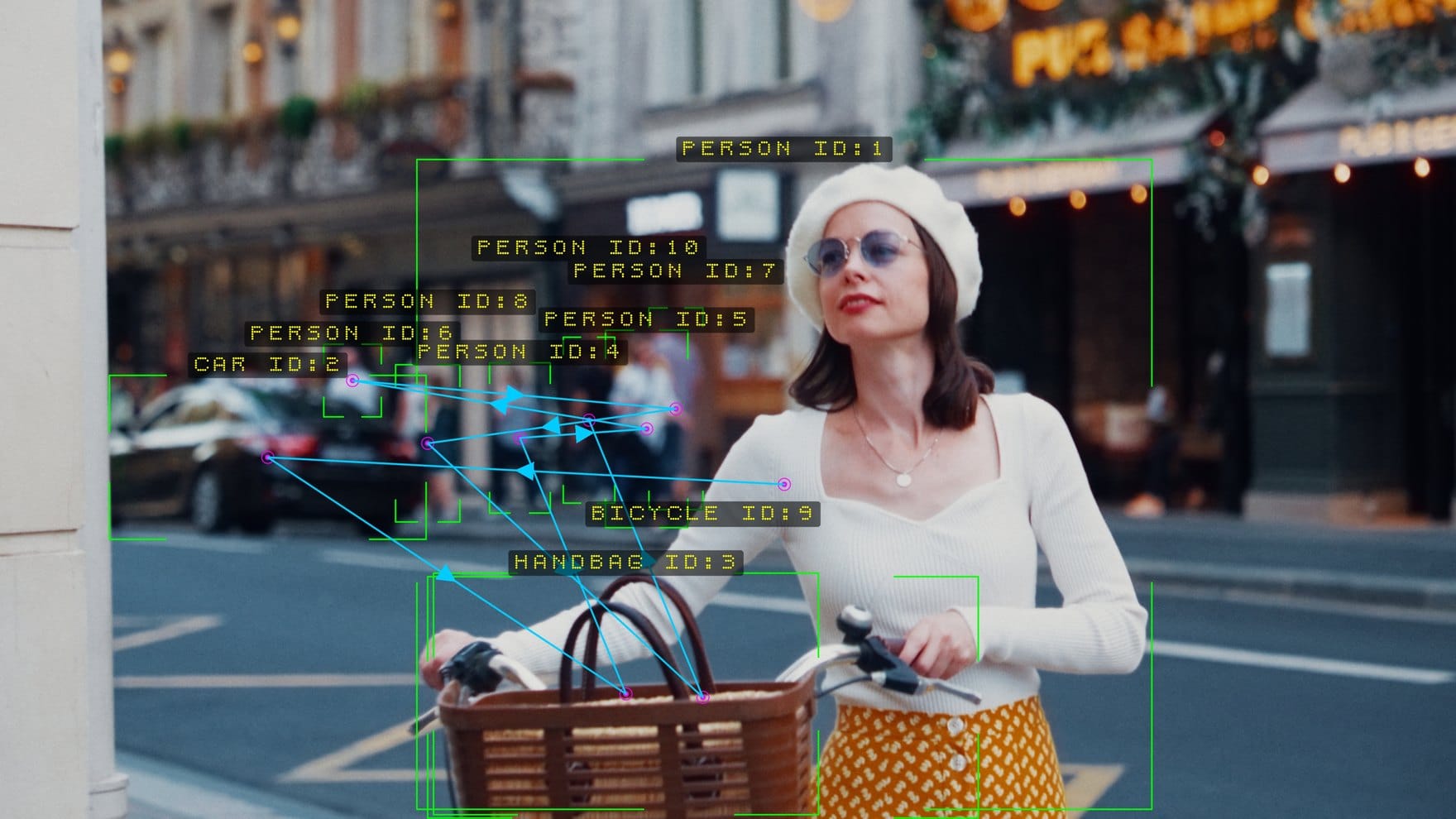
A box tells you where. A matte tells you what.
The same frame, twice. Drag the handle: on one side the tracker’s rectangles, on the other the silhouette it can cut around every one of them — hair, fingers, the gap between an arm and a body. Both come from the same pass over the same clip.
Find it. Follow it. Understand where it sits. Then do something.
Every feature in Nx Nexus hangs off one architecture. Change how a subject is found and nothing downstream has to change — the tracker, the depth, the mattes and the effects all behave the same way.
Find
Eight ways to pick a subject out of a frame: a neural detector that knows eighty everyday objects, a dedicated face model, and six classical vision modes for lights, colours, edges and particles.
Follow
Detections become subjects with identities that survive crossings, crowds, camera pans and a spell out of sight. Up to sixty-four at once, each with a number you can point an effect at.
Understand
A depth map estimated from a single camera, read per subject with a robust sample. Now the flat list of boxes is a scene with a front and a back.
Do
A cinematic HUD, AI mattes, twenty region effects, a rim glow, atmospheric fog, a real rack focus, and clean alpha or depth channels for the rest of your comp.
People, vehicles, animals, sports gear, bags, furniture, street objects — each detection arrives with a name.
Identities held simultaneously, with a sticky publish order so labels do not flicker at the limit.
Pixelate, blur, spotlight, thermal, night vision, hologram, halftone, ink sketch, dither and more.
Across sixteen groups, ordered the way you work through a shot. Every one documented in the manual.
Eight ways of seeing.
Sometimes the thing you want is a person. Sometimes it is a light, a colour, a reflection, or a shape with no name at all. The classical modes are not a fallback — for those subjects they are the better tool, and they are nearly free.
The same numbers, every single pass.
Through the mess
Motion prediction, optimal matching and a colour signature for every subject keep identities through crossings and crowds. Two people who cross are told apart by how they look, not only by where they were heading. Raise Revive Frames and an identity survives a spell behind a pillar.
Through a camera move
Global camera motion is estimated and subtracted before anything is matched, so a pan does not read as sixty objects sprinting sideways.
Through a render
Render a sequence twice and the identities come back the same. In After Effects, and across short jumps in Resolve, Nexus goes back for the frames it missed, so a scrub lands on the same numbers as playback. Frames you have already played replay from memory instead of running the detector again.
Click a subject in the viewer to select it. Click another to add it, click it again to drop it, click empty background to clear the selection. That one gesture drives the mattes, the glow, the effects and the exported channels. It works in Resolve, After Effects and Final Cut Pro; in Premiere Pro you type the subject numbers into the panel instead.
Native to the app you already cut in.
One engine, four panels. The detector, tracker, depth, mattes, effects and output modes are identical everywhere — only the panel chrome around them changes.
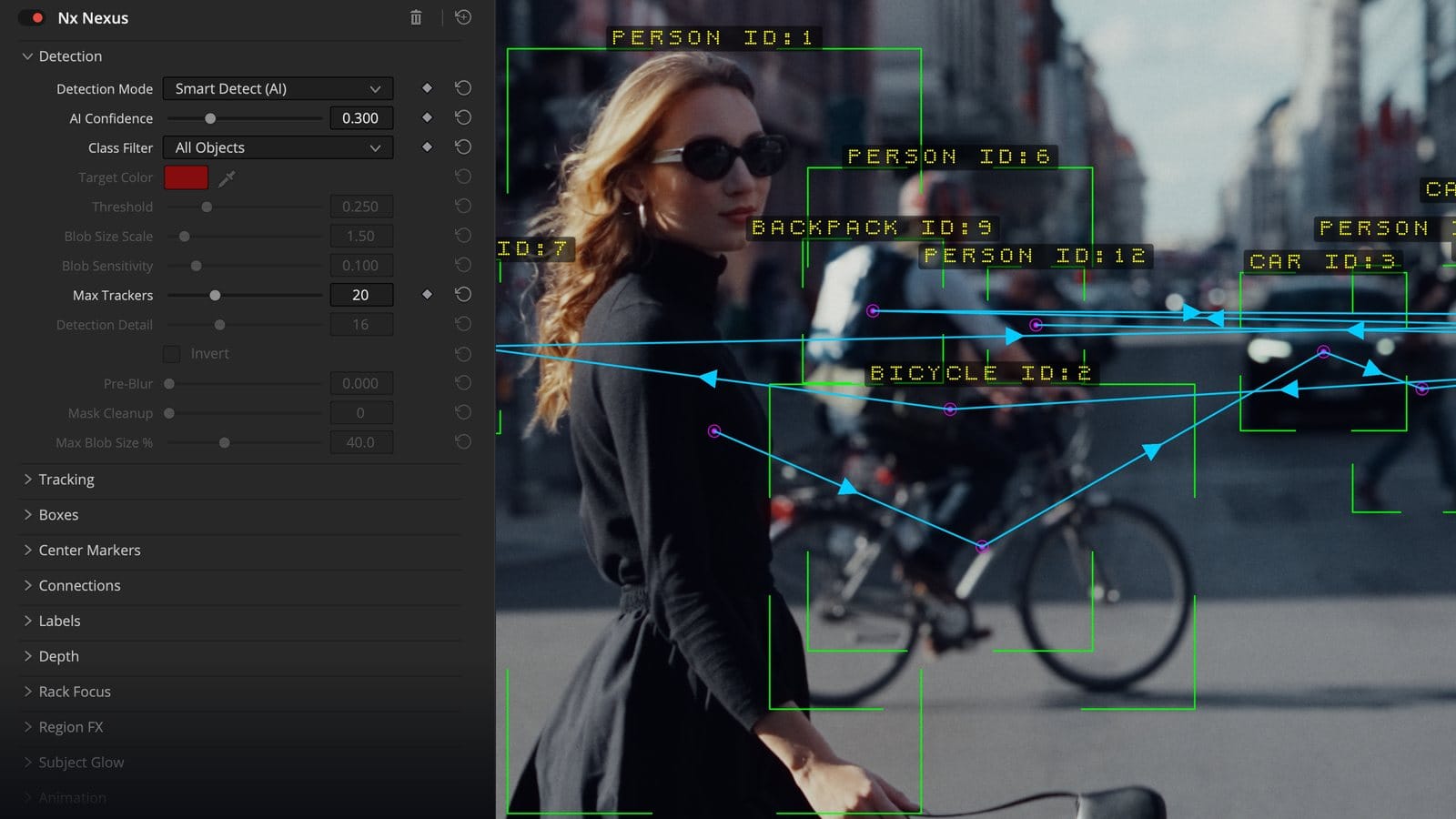
DaVinci Resolve
OpenFX, on the Edit, Color and Fusion pages. Controls that do not apply to the current mode grey themselves out.
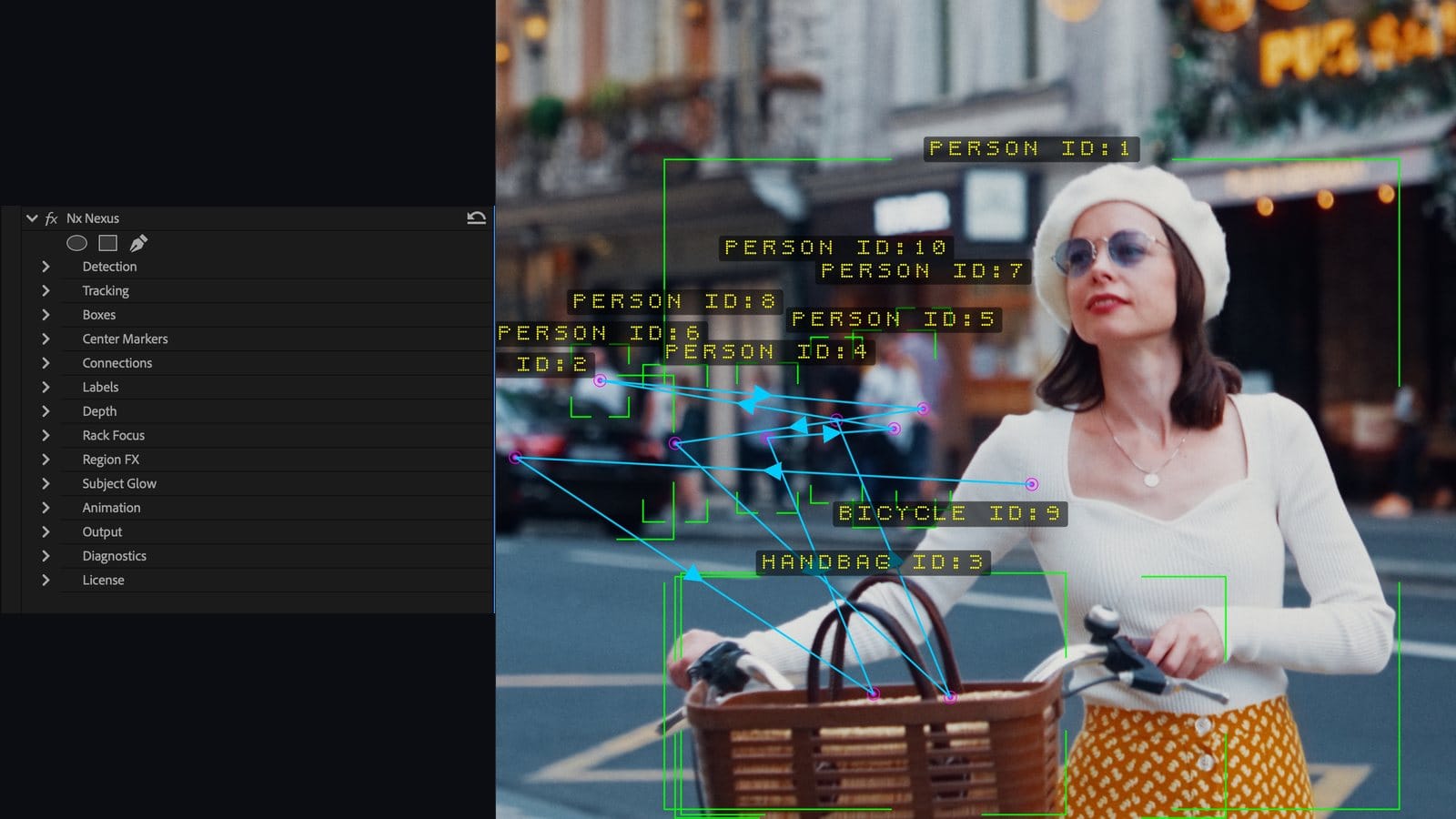
Premiere Pro · After Effects
The same sixteen groups in Effect Controls, GPU accelerated in Premiere with a full CPU path behind it.
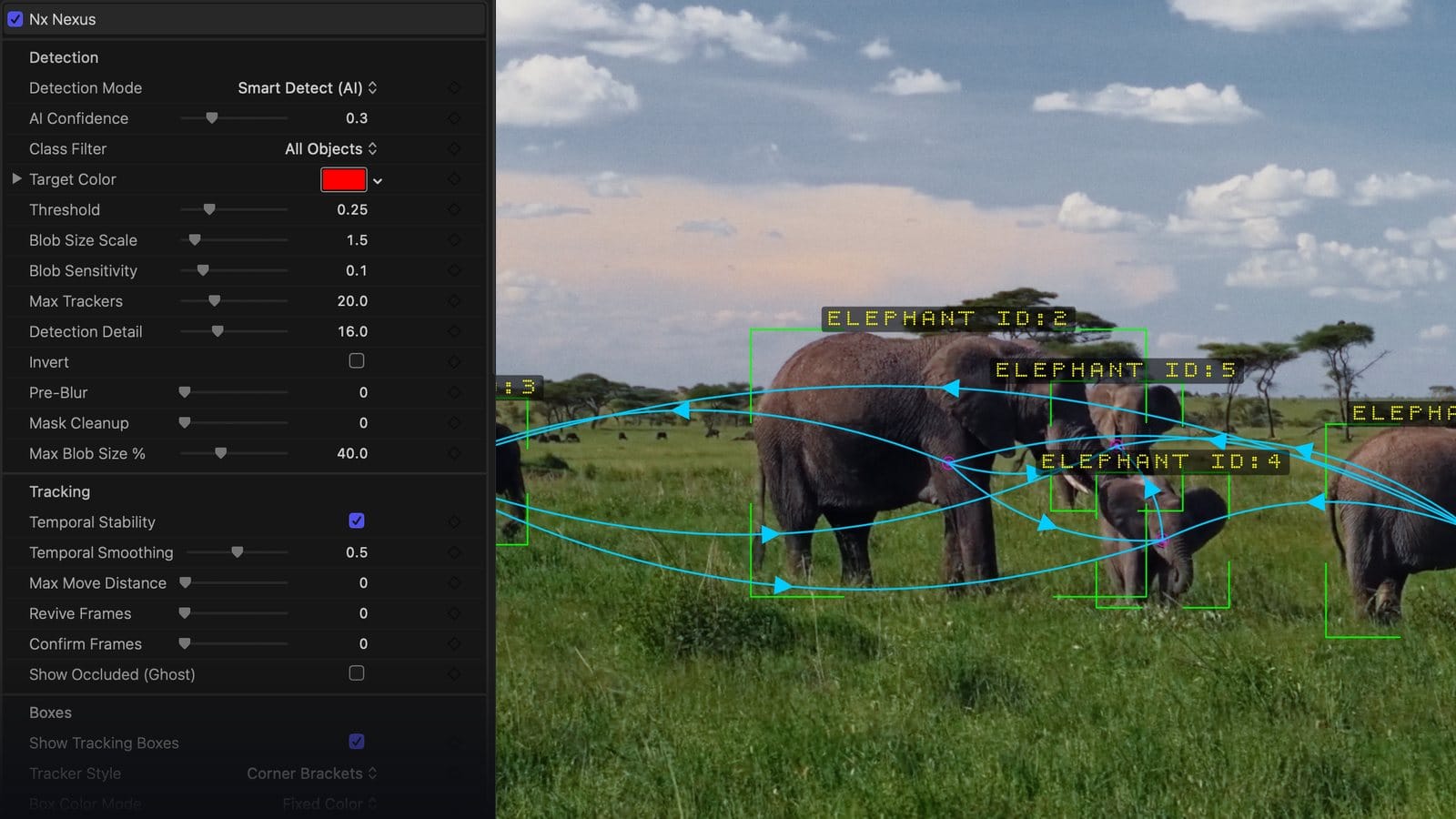
Final Cut Pro · Motion
A native FxPlug inspector on macOS, Metal accelerated, with the whole control set in one scroll.
DaVinci Resolve OpenFX
Premiere Pro
After Effects
Final Cut Pro FxPlug
MotionIt does not have to be the last word.
Channels for your comp
Export the subject matte as a white-on-black image or straight into the alpha channel as a ready-made cutout. Export the depth pass as greyscale or in alpha, with black and white levels to pull the range tight around your scene first.
Matte exports honour the subjects you targeted, so you can pull a clean alpha for one actor in a crowded frame, automatically, for the whole clip. Overlays Only renders the boxes, labels and lines by themselves over transparency, so the graphics can sit on their own layer.
Honest about the edges
The depth is relative, inferred from a single image — excellent for separation, focus, fog and mattes, and not a survey instrument. Matte quality scales with how large a subject is in frame and how much it contrasts with its background.
This is an outstanding automatic matte. It is not a replacement for hand roto on a hero VFX shot, and the manual says so in its own chapter.
Built for macOS and Windows.
macOS
macOS 14 Sonoma or later, Apple Silicon or Intel. Accelerated through Metal and the Apple Neural Engine.
Windows
Windows 10 or 11, 64-bit. Accelerated through DirectX 12; NVIDIA CUDA for GPU rendering in Premiere Pro.
Everywhere
16 GB of memory minimum, 32 GB recommended for 4K work with depth and mattes on. Every host has a full CPU path that renders the identical picture.
Nothing leaves your computer. Every model ships inside the plug-in and every frame is analysed locally. There is no service to sign into, nothing to download on first run, and no footage, frames or metadata are ever transmitted. On client work under NDA, that is not a convenience — it is the requirement.
Release notes·User manual·macOS 14 or newer·Windows 10 or newer·Free to try with a watermark
One perpetual license
Two machines. Every app on them.
One activation licenses Resolve, Premiere Pro, After Effects and, on macOS, Final Cut Pro and Motion on that machine. Activate online once, then work offline. Move between machines whenever you like.
Get Nx NexusYour upgrade is free.
Everyone who bought the Nx Nexus DCTL for Resolve gets the plug-in at no charge. Your license key has been sent to the email address on your order; if it has not arrived, write to [email protected]. The original DCTL stays in your account under DCTL Downloads.
Find anything. Track anything. Make it do something.
Drop it on a clip and play. That is the whole workflow.