
Flow-Based Anisotropic Diffusion for DaVinci Resolve

Nx DreamFlow
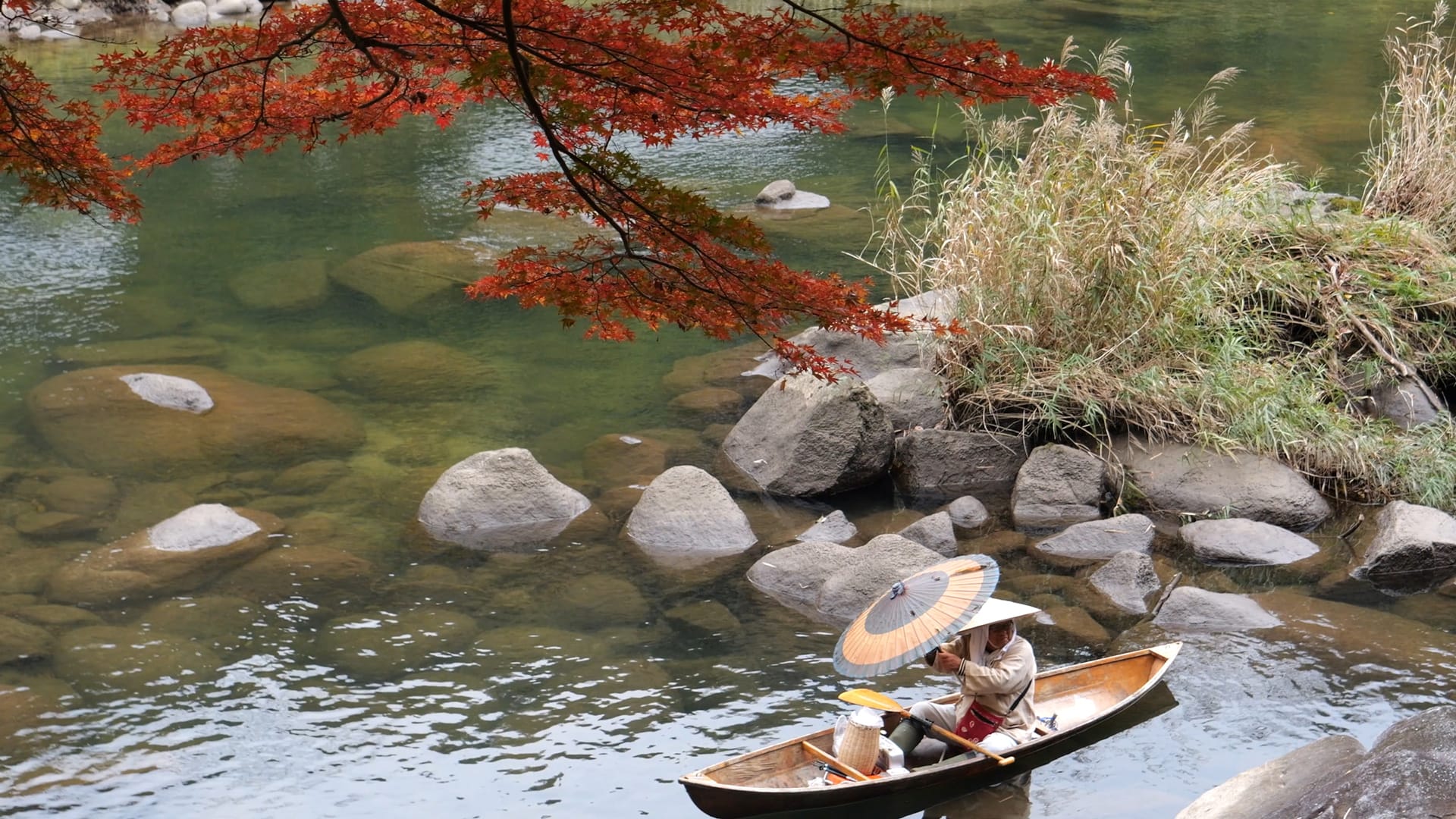
DreamFlow is a professional-grade diffusion plugin for DaVinci Resolve built on advanced flow-based anisotropic diffusion. Unlike traditional blur or surface smoothing tools, DreamFlow intelligently analyzes your image structure to apply directional smoothing along natural flow patterns, preserving critical edges and organic details.
Using adaptive multi-scale flow analysis and elliptical filtering, it produces soft, dreamlike visuals without sacrificing depth or definition. With adjustable controls for flow intensity, smoothness, and clarity enhancement, DreamFlow offers precise artistic control—from subtle refinement to fully stylized painterly transformations—all powered by real-time GPU performance for seamless playback and fast rendering inside DaVinci Resolve.

Flow-Guided Anisotropic Diffusion
Intelligently smooths along image structure rather than across edges for natural, detail-preserving results.
Multi-Scale Flow Analysis
Analyzes image flow patterns at multiple scales for coherent, artifact-free smoothing across varying texture sizes.
Adaptive Elliptical Filtering
Automatically adjusts filter shape and orientation based on local image structure and flow direction.
Brush Size Control
Adjustable diffusion radius ranging from gentle surface refinement to expressive painterly abstraction.
Flow Intensity & Scale
Precisely control how strongly and at what scale the filter follows detected flow lines to match different subjects or styles.
Flow Smoothness Control
Fine-tunes the coherence and strength of directional smoothing for natural or stylized results.
Clarity Enhancement
Built-in local contrast enhancement to restore micro-detail and sharpness after diffusion.
Compatibility Across Pages
Works seamlessly across Edit, Fusion, and Color pages in DaVinci Resolve.
Buttery-smooth, organic flow that transforms your footage into painterly cinema.
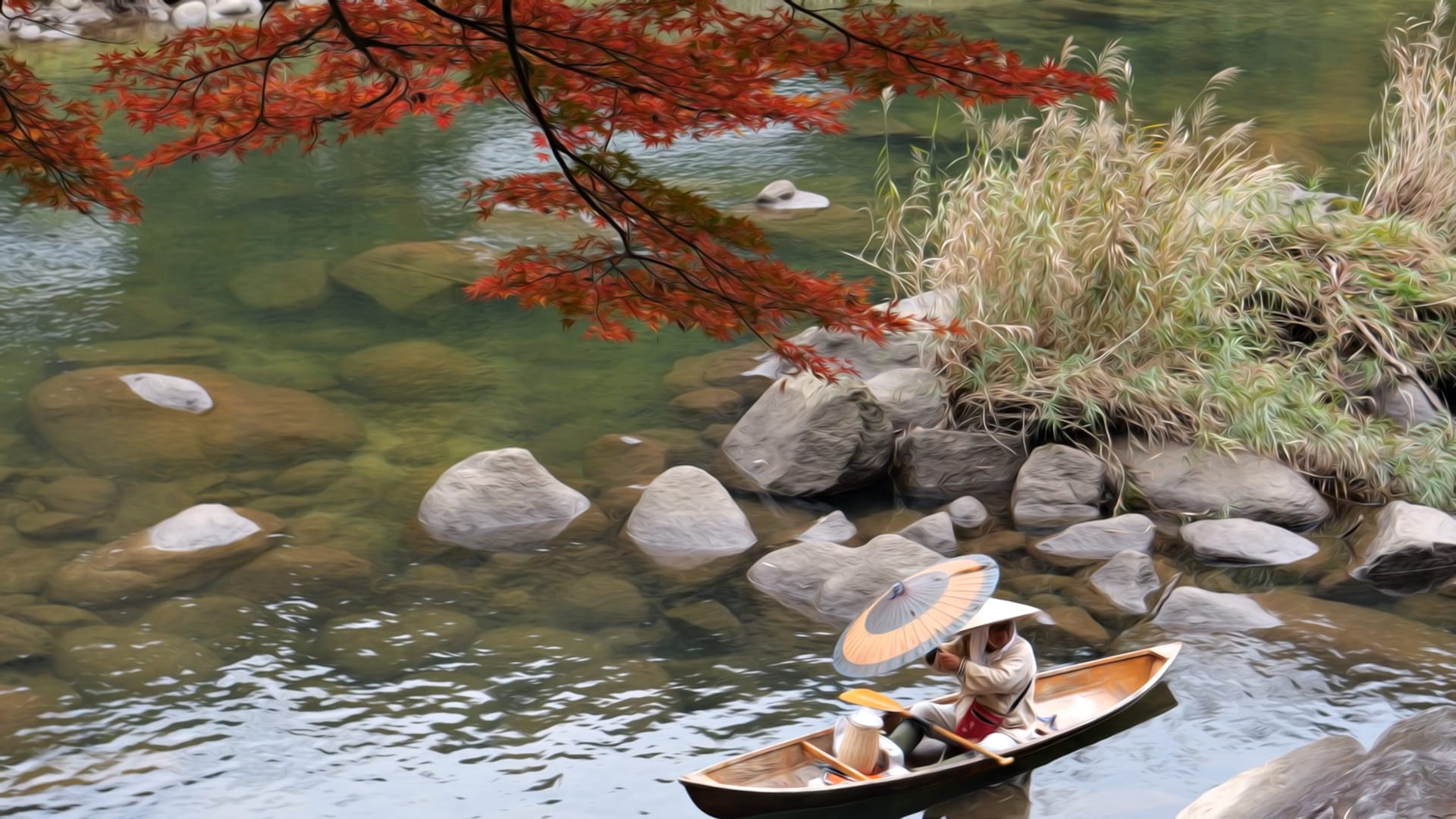
Stack DreamFlow Nodes for Stronger Effects
For more pronounced dreamflow effects, Nx DreamFlow can be applied multiple times by stacking nodes in series.
Each pass builds upon the previous result, progressively enhancing the flow-based stylization and creating deeper, more painterly transformations.
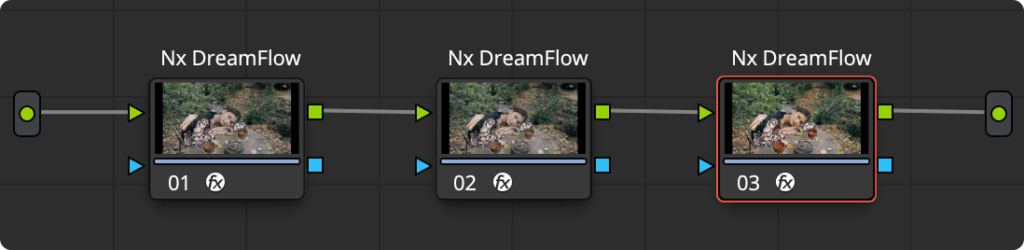
Start with subtle settings on the first node, then add additional instances with lower intensity values to refine the effect without over-processing. This iterative approach gives you precise control over the final look—two to three passes typically produce rich, artistic results while maintaining image integrity.
System Requirements


Works on macOS, Windows and Linux
(Metal, CUDA & OpenCL Modes Supported)
Requires DaVinci Resolve Studio